Feature · Appointments
Bridal shop appointment software: fittings and reminders
A bridal shop runs on appointments: the first consultation, three or four fittings, the final fitting and pickup, each counted back from a wedding date. In SewingERP they live on one calendar, on the bride's card and on her dress, so the shop always knows who is coming in, for what, and what is still missing before the wedding.
What kinds of appointments does it handle?
Consultations, fittings, final fittings, pickups and anything else, each with the bride, the date and time, the length, the location and the staff member. An appointment can be tied to the dress it is for, and marked done, canceled or no-show. When a fitting is marked done with new measurements, they are saved to the bride's card as a new version.
How does the calendar work?
Day and week views of every appointment, with the room and the staff member. You block hours for a holiday, a day off or one person's absence, and when a new appointment clashes with another one, SewingERP warns you before it is saved. Today's appointments also show on the dashboard and on each bride's card.
Can brides book online?
Yes, if you turn it on. The booking page has its own link and a printable QR code, for your website, your Instagram bio or the shop window. You decide:
- Which appointment types are open for booking, and how long each one takes.
- Your open hours for each day of the week, the time step, how many hours ahead a booking must be made and how many days ahead the calendar opens.
- How many fitting rooms each location has: free times respect them and your blocked hours, so two brides are never booked into one room.
A known phone number is booked on the existing bride card; a new one becomes a new lead marked as an online booking. If she leaves an email, she gets a confirmation, and the shop gets a short notice. There is no deposit at booking: the page takes no payments.
Do brides get reminders?
Optional email reminders go out before each appointment and a few days before delivery when there is still a balance. They carry your shop's name as the sender, replies reach your shop, you edit the wording, and nothing is sent outside the hours you set. Each reminder is logged on the bride's card. A bride who asks not to get them can be left out.
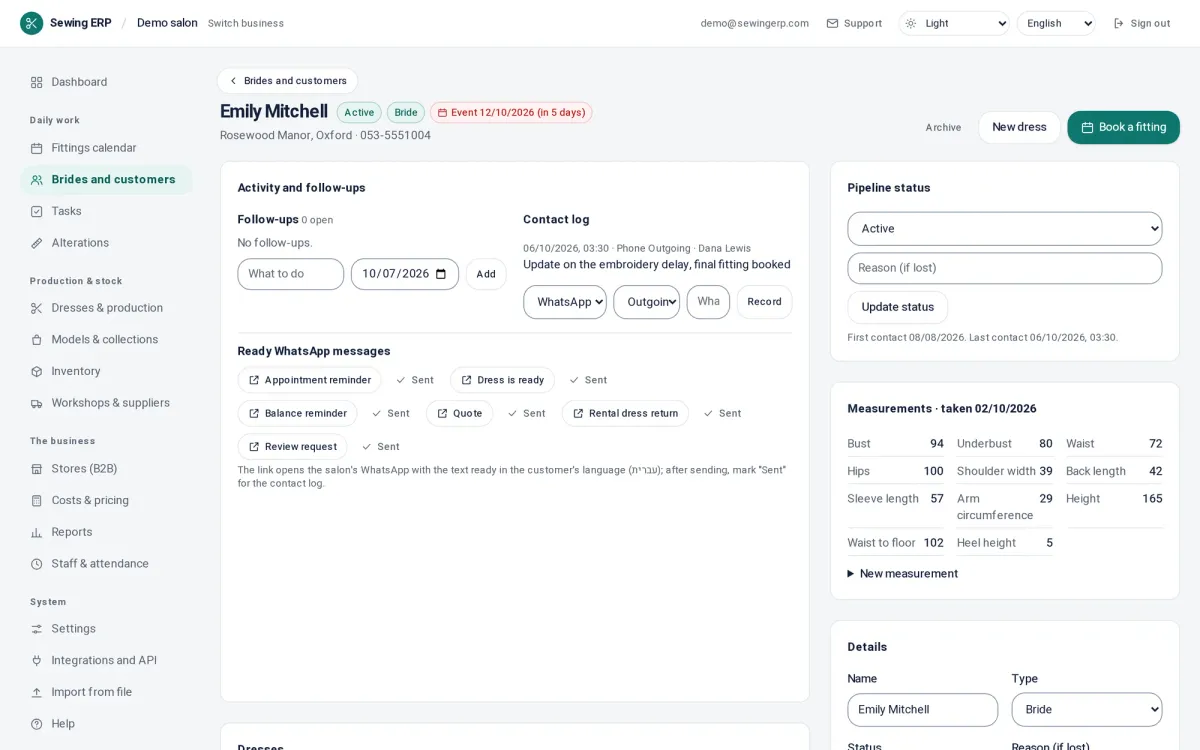
Automatic text and WhatsApp reminders are not available. The bride card has ready-made WhatsApp messages that open in WhatsApp with one tap, for the staff to send themselves.
Which plans include it?
Every plan, Salon included: the calendar, blocked hours, the calendar feed, reminders, online booking and the bride portal, with unlimited users. See pricing.
Questions
Can brides book their own appointments online?
Yes, once you turn it on. You choose the appointment types and their length, your open hours, and how far ahead and how close to the day a bride can book. She sees only free times, never who else booked, and a new phone number becomes a new lead on your list.
Does it send appointment reminders?
Yes, by email before each appointment (24 hours ahead by default), in your shop's name and wording, only between the hours you allow. It is off until you turn it on, and a bride can be left out. Text and WhatsApp reminders are not automatic: the bride card has ready-made WhatsApp messages your staff send themselves.
Can I see the shop's appointments in Google Calendar?
Yes, through a private calendar feed (ICS) that Google Calendar, Apple Calendar or Outlook can subscribe to. The feed is read-only: appointments are made and changed in SewingERP.
What happens when two appointments overlap?
SewingERP warns you before saving when the staff member is already booked, when the location has no free fitting room at that time, or when the hours are blocked. You can still save it on purpose. Online booking never offers those times at all.