Feature · Payments
Bridal shop POS software: what SewingERP does and doesn't
Bridal shops look for a POS when what they need most is to know who paid what, what is still owed on each dress, and when the next payment is due. SewingERP does that part. It is not a card terminal: it records the money you take, wherever you take it, against the bride and her dress.
What does a bridal shop POS usually do?
A retail point of sale rings up a sale at the counter: it scans the item, takes the card on a reader, opens the cash drawer, prints the receipt and takes the piece out of stock. That fits accessories and off-the-rack dresses paid in full on the day.
A made-to-order or altered gown is different. The bride pays a deposit months before the wedding, more at a fitting and the balance at pickup, sometimes by three different methods. What the shop needs then is the order and its payments, not the till.
What does SewingERP do with payments?
- A deposit on the agreed price. Closing a sale proposes your usual deposit (40% by default, a setting you change), and the deposit goes on the bride's card.
- Payments and refunds by any method: cash, card, bank transfer, check, a mobile payment app or other, with the date and a reference. You choose which methods your shop accepts.
- Payment plans with installments, dates and amounts. An installment past its date is marked late and shows up in the dashboard's “What's stuck today” list.
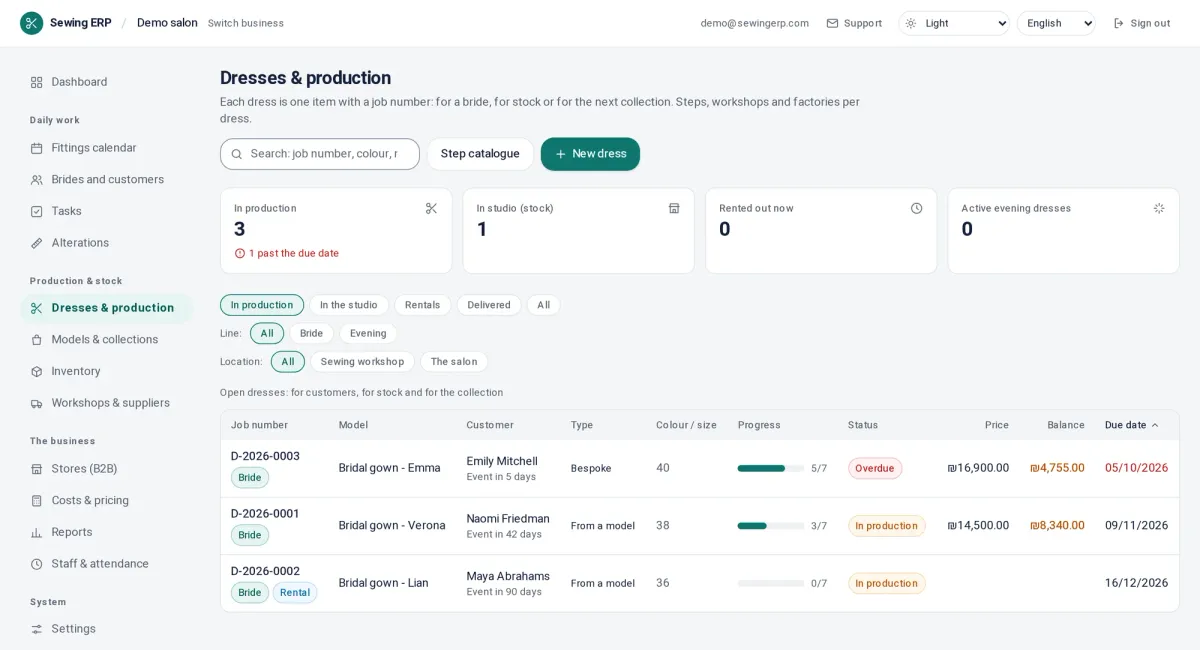
- The balance of every dress and every bride, always up to date, on her card and in the dress list.
- A reminder before delivery when there is still a balance, by email in your shop's name. Optional, off until you turn it on.
- The bride portal shows her what she has paid and what she still owes, never your cost breakdown. Also optional.
- The accountant's page: every payment in any date range with its method and reference, downloadable as CSV.
What doesn't SewingERP do?
- No card processing. It does not connect to a card reader and does not take card payments from brides, in the shop or online.
- No till for off-the-rack sales: no barcode checkout, cash drawer, receipt printer or gift cards.
- No payment links. A bride cannot pay a deposit when she books an appointment online.
- Receipts and invoices are issued through Morning, iCount or Sumit, which serve Israel (Atelier and Pro plans). Elsewhere you issue them in your own invoicing tool, and the CSV export carries every payment to it.
Then how do I take cards?
Keep the terminal or payment provider you have. Take the card there, then record the payment in SewingERP with the method and the terminal's reference; it takes a few seconds on the bride's card. The accountant's page lists every payment of a day or a month with its method, to check against the terminal's own report.
How is SewingERP itself billed?
Through Paddle (paddle.com), which sells the SewingERP subscription as Merchant of Record: it takes the card, adds your country's sales tax or VAT and issues the invoice, monthly or yearly. That is how your shop pays for SewingERP; Paddle has no part in your brides' payments. The plans are $79, $149 or $249 a month before tax, with unlimited users and a 14-day trial without a card.
Which plans include it?
Deposits, payments, payment plans, balances, the balance reminder, the bride portal and the accountant's page are in every plan, Salon included. The receipt connectors (Morning, iCount, Sumit) are in Atelier and Pro.
Questions
Is SewingERP a POS system?
No. SewingERP has no card reader, cash drawer or barcode checkout, and it does not process card payments. It records every deposit, payment and refund you take, by any method, against the bride and her dress, and shows the balance still due.
Can I take card payments with SewingERP?
Take the card on the terminal or payment provider you already use, then record the payment in SewingERP with the method and the terminal's reference. Cash, bank transfers, checks and other methods are recorded the same way.
How do I pay for SewingERP itself?
By card through Paddle, which sells the subscription as Merchant of Record: it charges monthly or yearly, adds your country's sales tax or VAT and sends the invoice. Paddle bills your shop for SewingERP; it never handles your brides' payments.
Do I need a separate POS if I sell off the rack?
If most of your sales are off-the-rack pieces paid in full at the counter, a retail POS handles the till, the card reader and the stock count better. A shop that works by order, deposit and fittings usually runs well on its card terminal plus SewingERP.